
How to Install KhelFy TV on Android Smart TV (Easy Guide 2026)
Want to enjoy KhelFy TV on your big Smart TV screen?
Now you can experience match schedules, live scores, sports highlights, and the latest sports news comfortably on your large television with family and friends. No more watching on small mobile screens!
Follow this simple step-by-step guide to install KhelFy TV on your Android Smart TV, Firestick, or any Android-based TV. The whole process is easy and takes only a few minutes.
Method 1: Using Downloader App
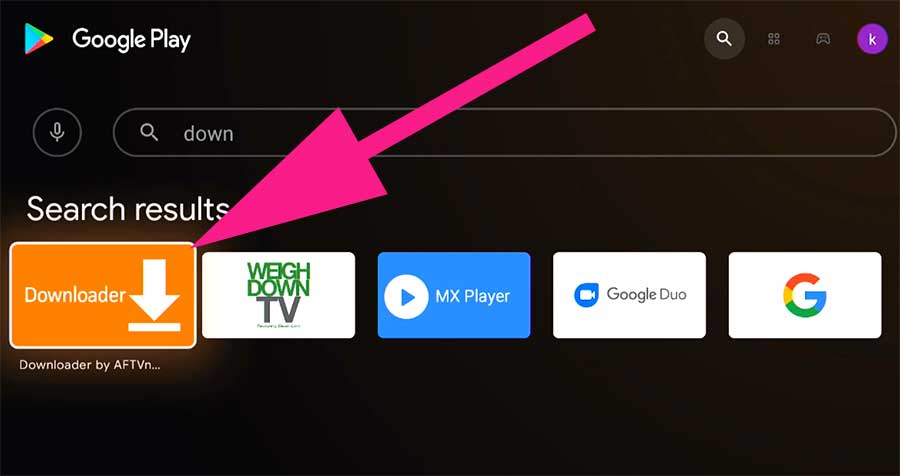
- On your Smart TV, open Google Play Store
- Search for “Downloader” by AFTVnews and install it
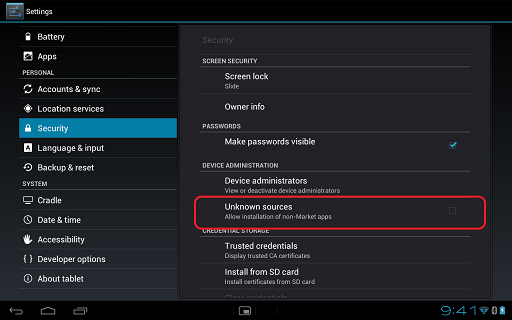
- Open Settings on your Smart TV
- Go to Security & Restrictions (or Apps) → Enable Unknown Sources for Downloader
- Open the Downloader app
- In the URL box, type: https://khelfytv.app/download
- Click Go and wait for the APK to download
- After download, click Install
- Once installed, click Open to launch KhelFy TV
Method 2: Using USB Drive
- Download the latest KhelFy TV APK on your mobile phone from khelfytv.app
- Copy the APK file to a USB flash drive
- Insert the USB into your Smart TV
- Open File Manager or My Files on TV
- Locate the APK file and select Install
- Open the app after installation
Conclusion
Installing KhelFy TV on Android Smart TV is very easy and takes only a few minutes. Now you can enjoy match schedules, live scores, sports highlights, and latest news on your big television screen with the whole family.
Enjoy big screen sports experience with KhelFy TV!